
GitHub's own tooling migrates your code and stops.
Work items, Test Plans and history are "remaining assets." Honest Cheetah brings the backlog across, free, with the history that makes a forecast possible on day one.
Import a team project Need help migrating?Bring your backlog to GitHub
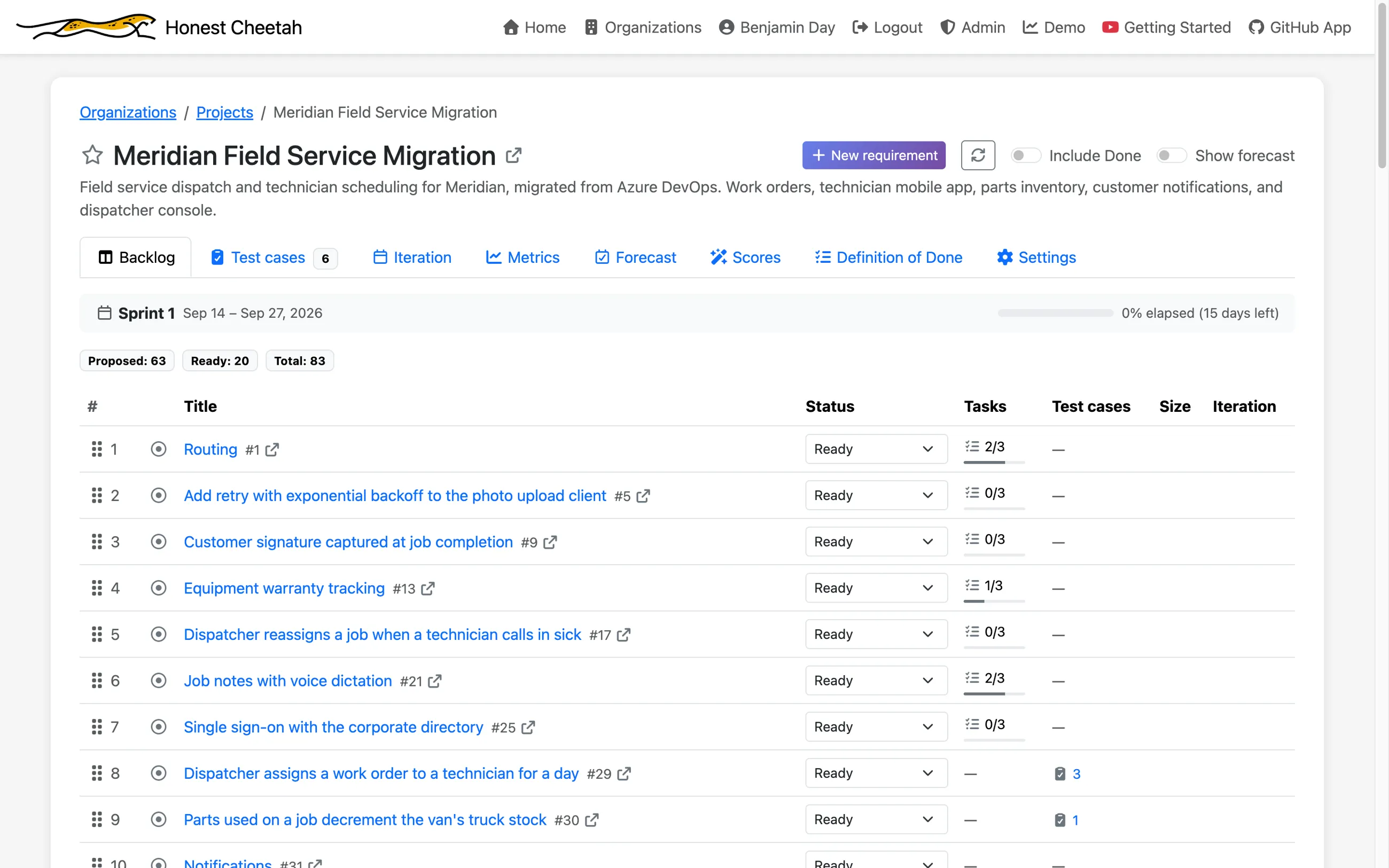
Point Honest Cheetah at an Azure DevOps team project, paste a read-only token, and the work comes over: requirements become issues on a GitHub Projects board, tasks become sub-issues, and the completed work becomes history, so the metrics have a forecast on day one instead of a shrug. Free, for every organization.
One direction. Nothing is written back to Azure DevOps. Every step shows you what it's about to do before it does it, and nothing lands on GitHub until you click a button that says so.
How it goes
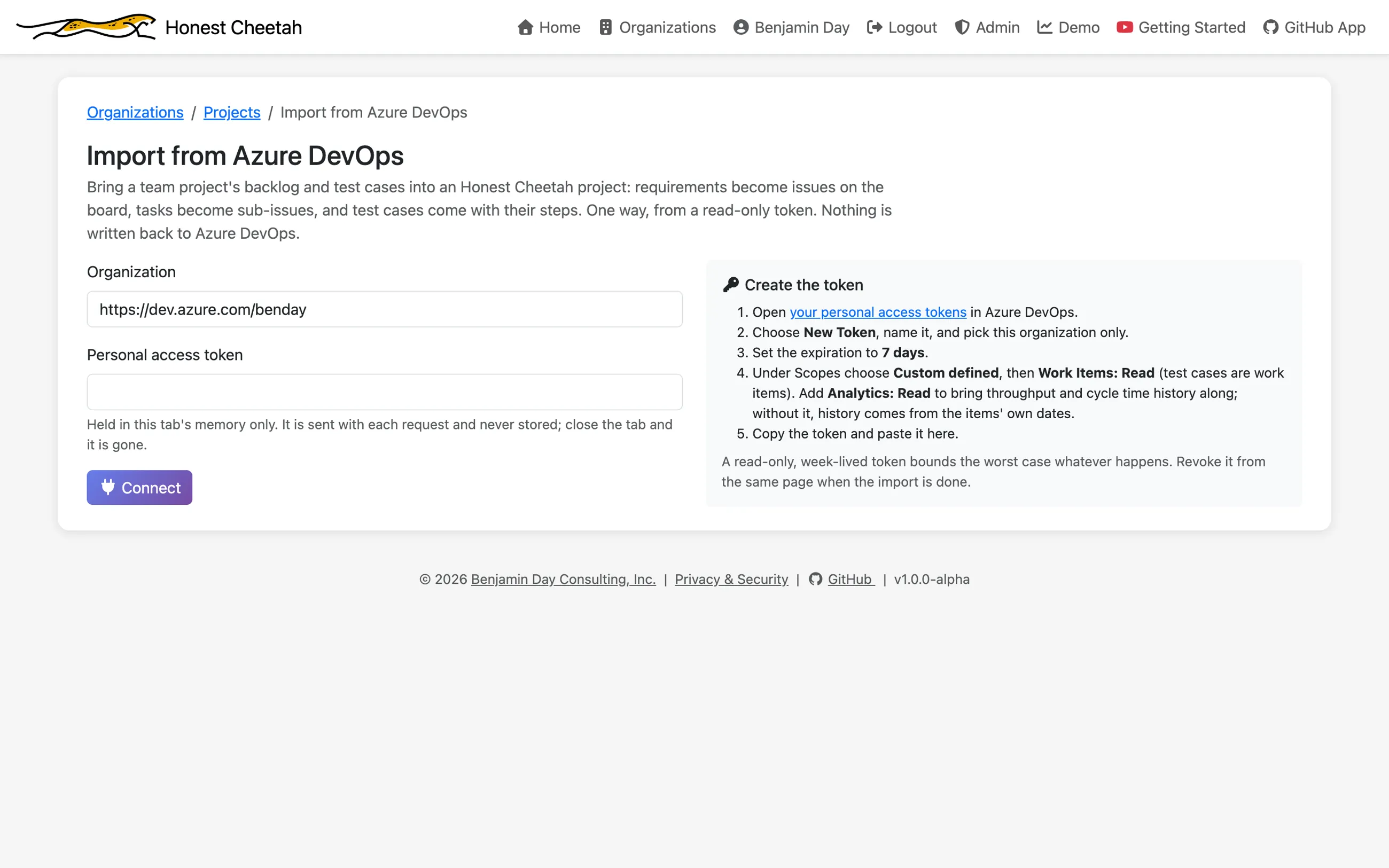
- Connect. The organization URL and a personal access token with one scope, Work Items (Read). Add Analytics (Read) if you want the throughput and cycle time history to come too. The token stays in your browser tab and is sent with each request; the server keeps nothing, and closing the tab is the same as revoking it.
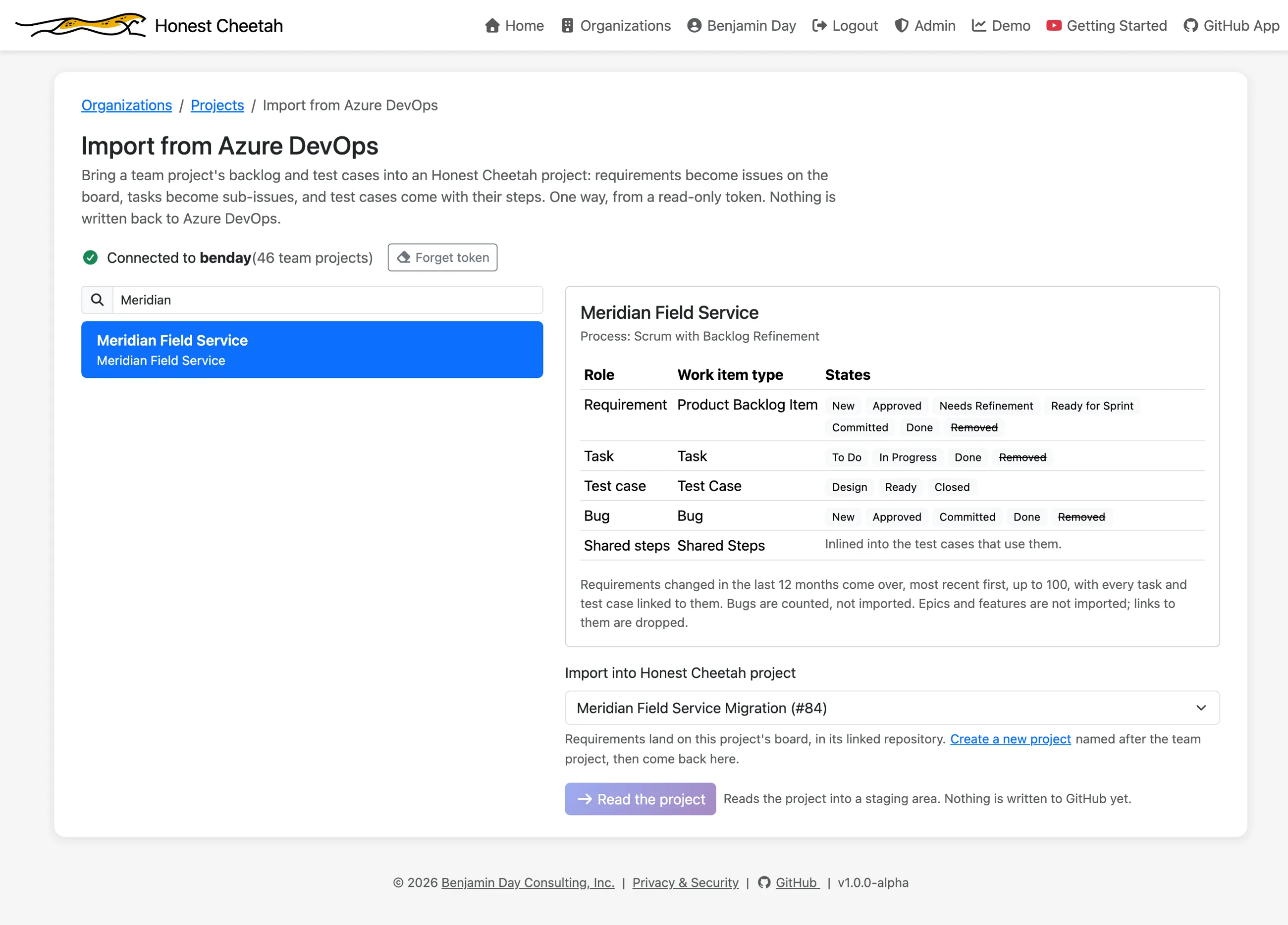
- Pick. A team project and a target board. Honest Cheetah reads the process and works out which work item types are the requirement and the task (Product Backlog Item, User Story, Requirement and Issue all resolve without asking). No board yet? The project factory makes one, named after the team project.
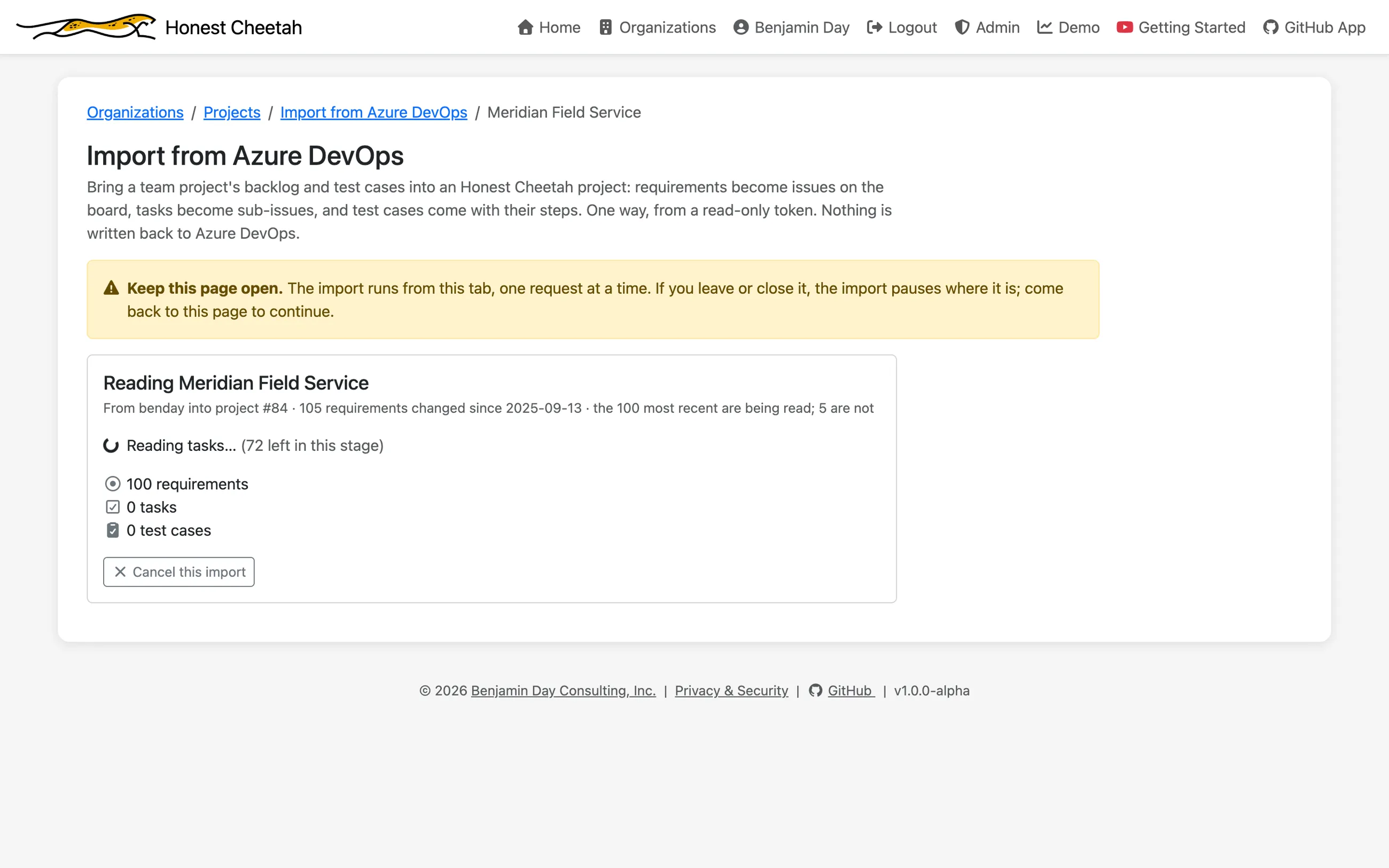
- Read. Requirements changed in the last twelve months, most recent first, up to 100; then the tasks linked to them; then the completed items for history. When reading ends, the token is forgotten.
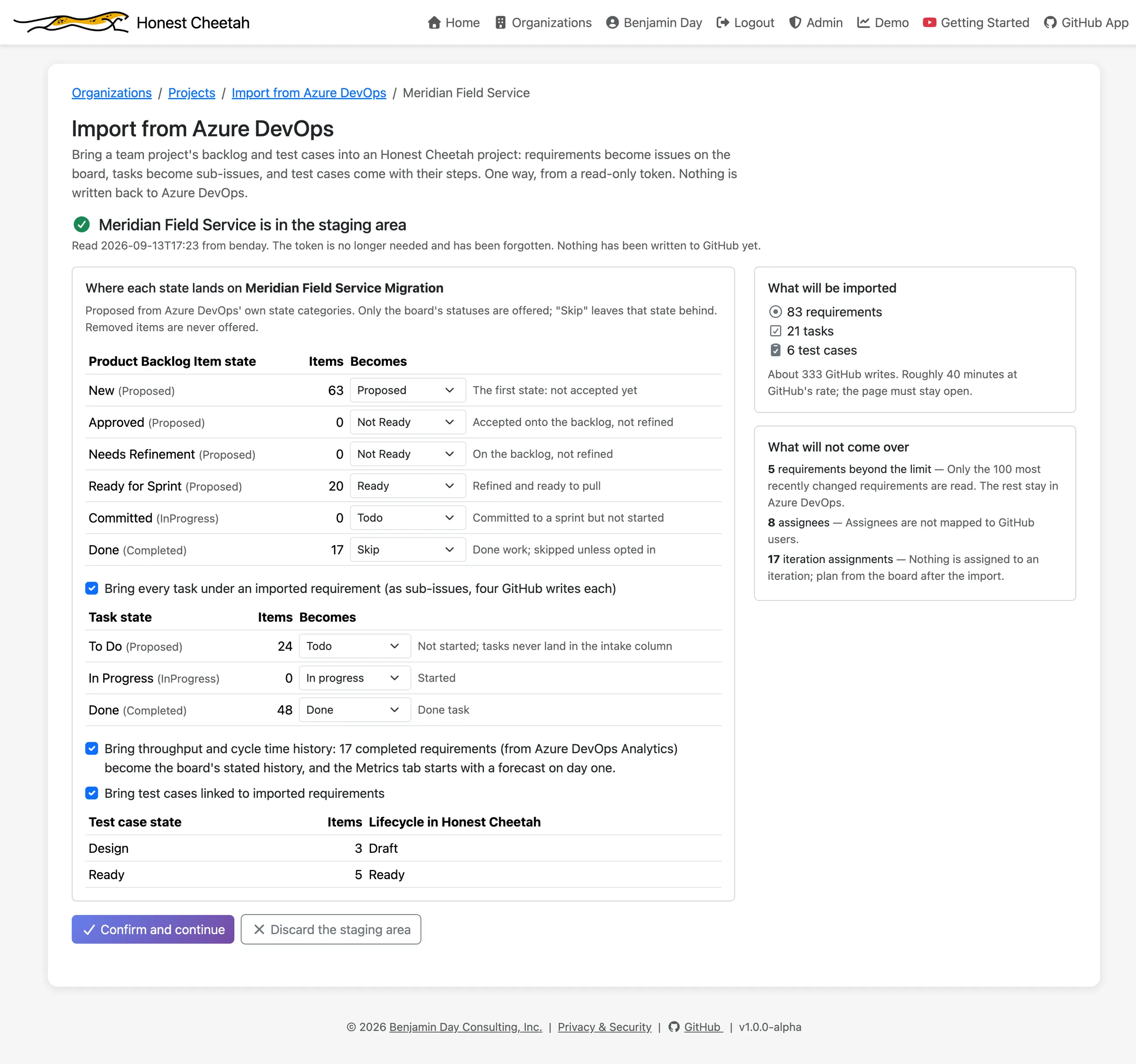
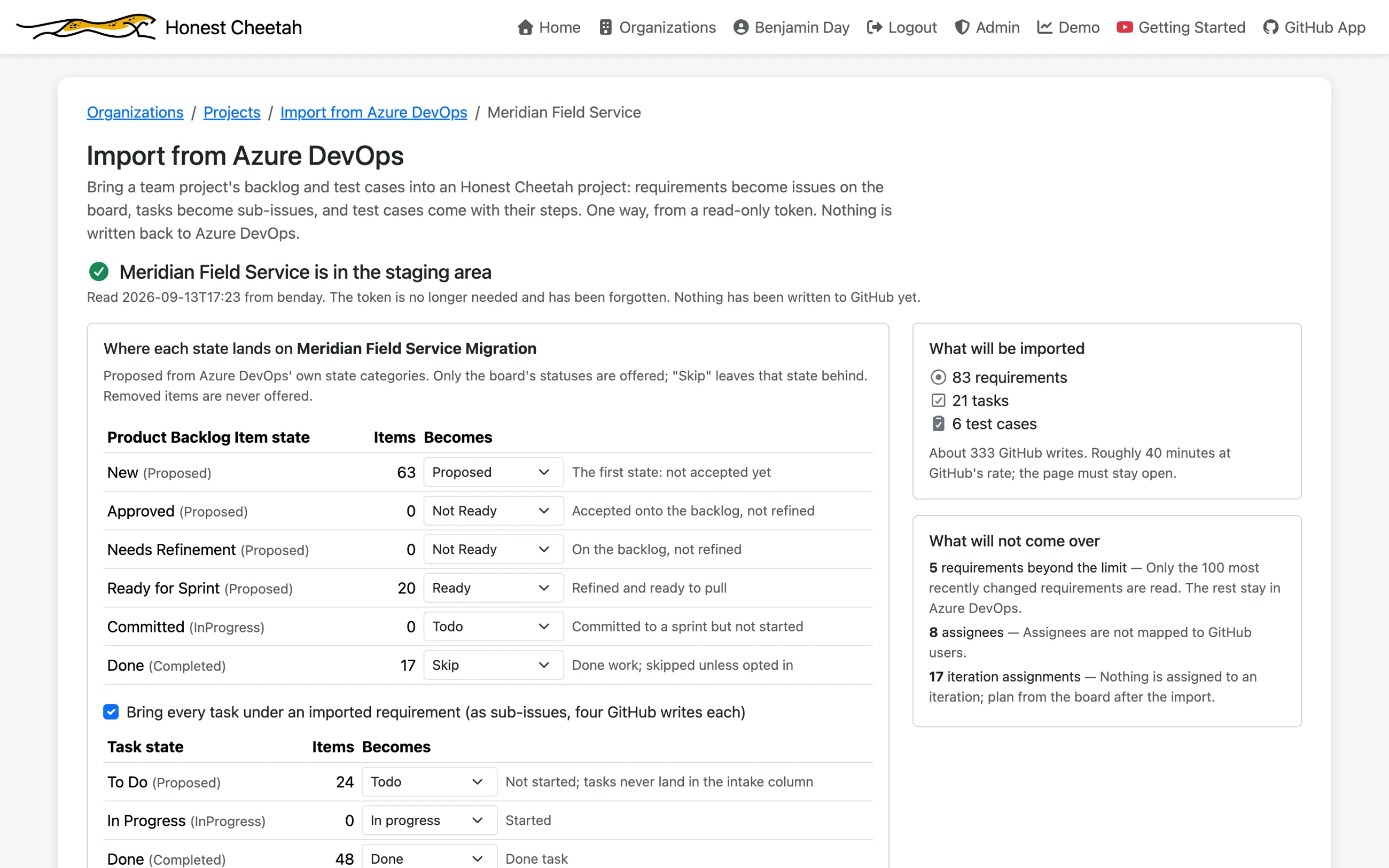
- Review. Each state with its count, mapped onto your board's statuses. Change any of them, toggle tasks and history, and read the list of what won't come over.
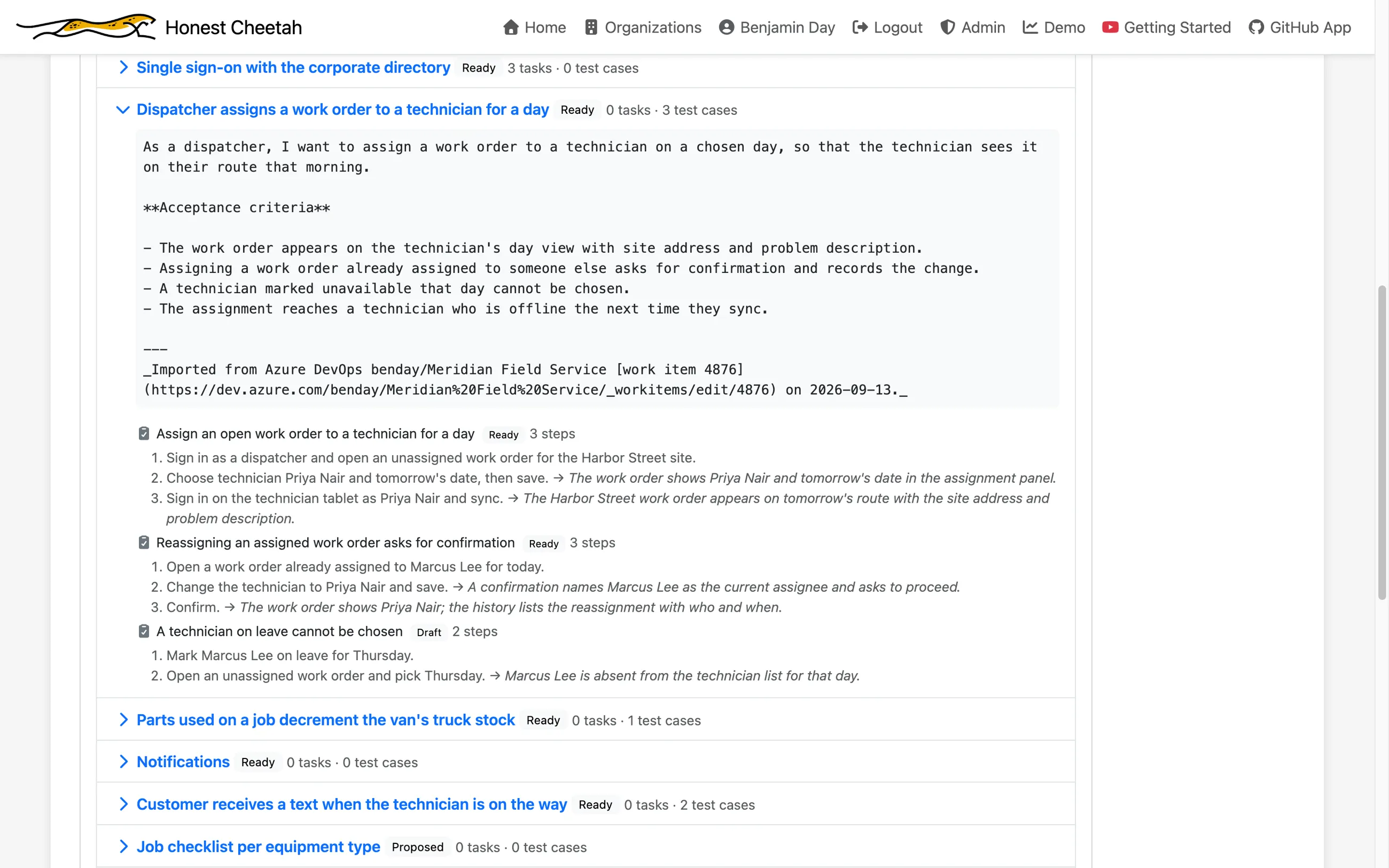
- Preview. What will land, in backlog order: each requirement's body as GitHub will receive it, its tasks, and the footer that says which work item it came from.
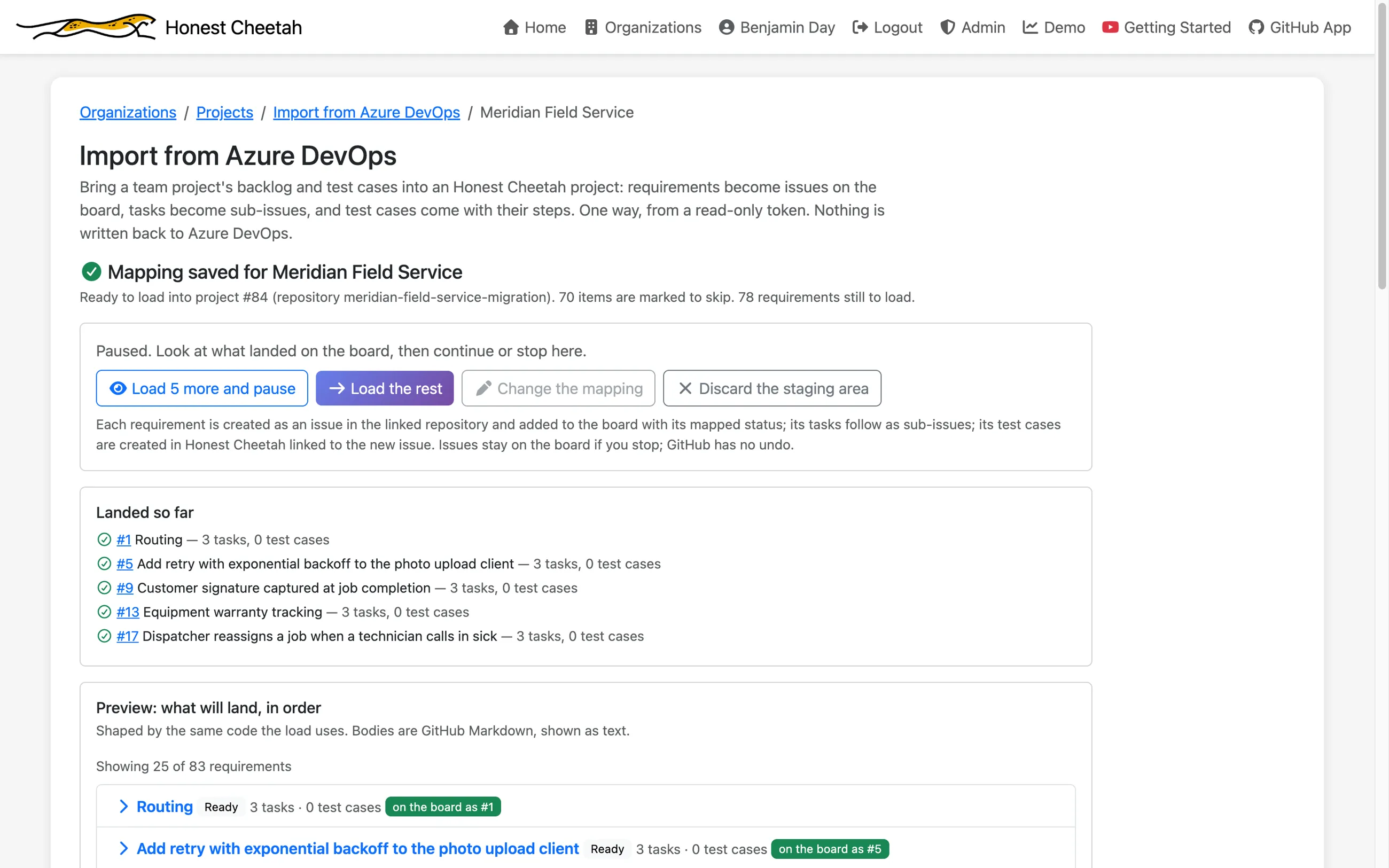
- Load. Five and pause, so you can look at the board before committing to the rest. Or everything. GitHub has no undo, so the pause is the undo.
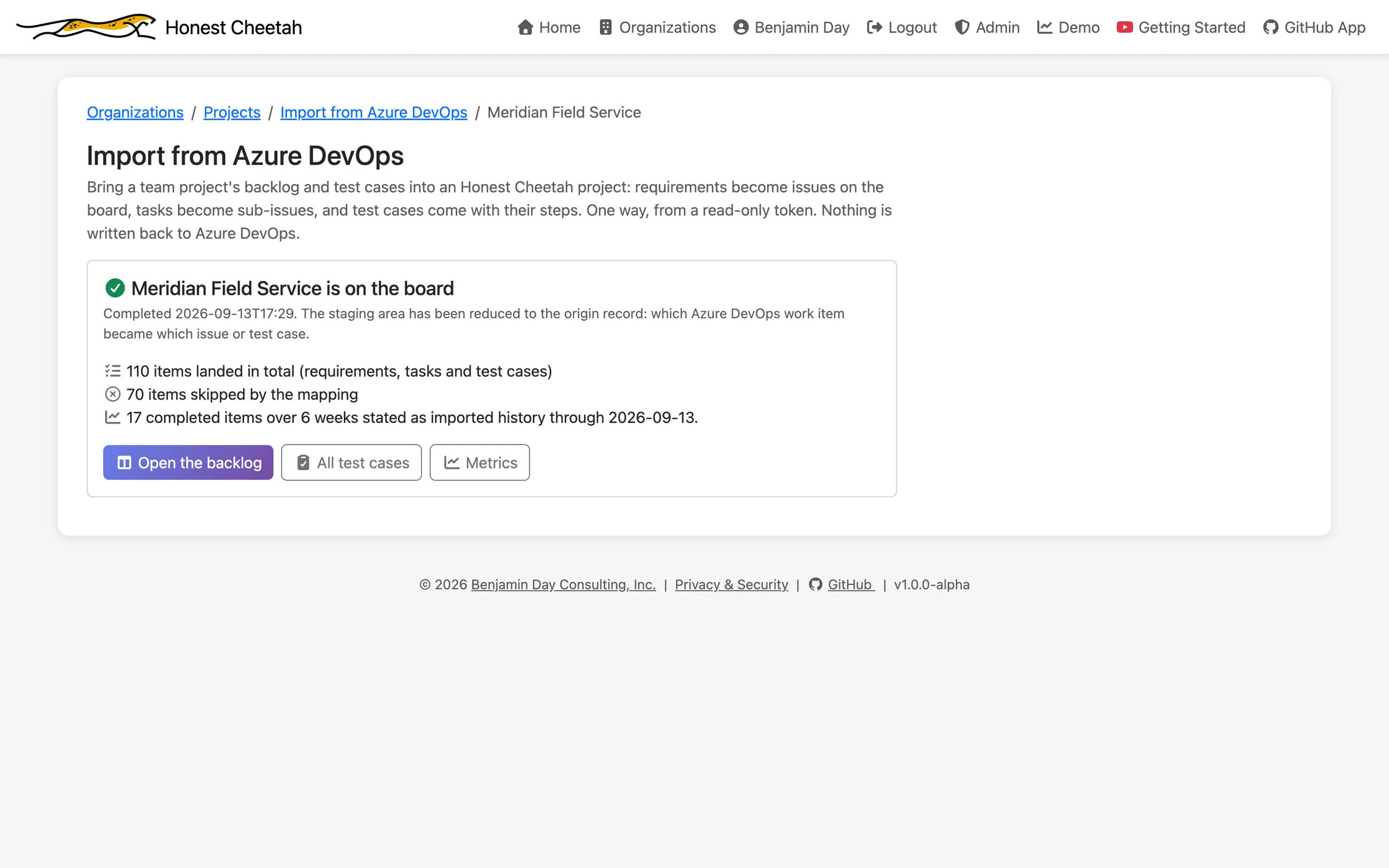
- Done. Counts, and links to the backlog and the metrics. Then revoke the token in Azure DevOps.
After the import
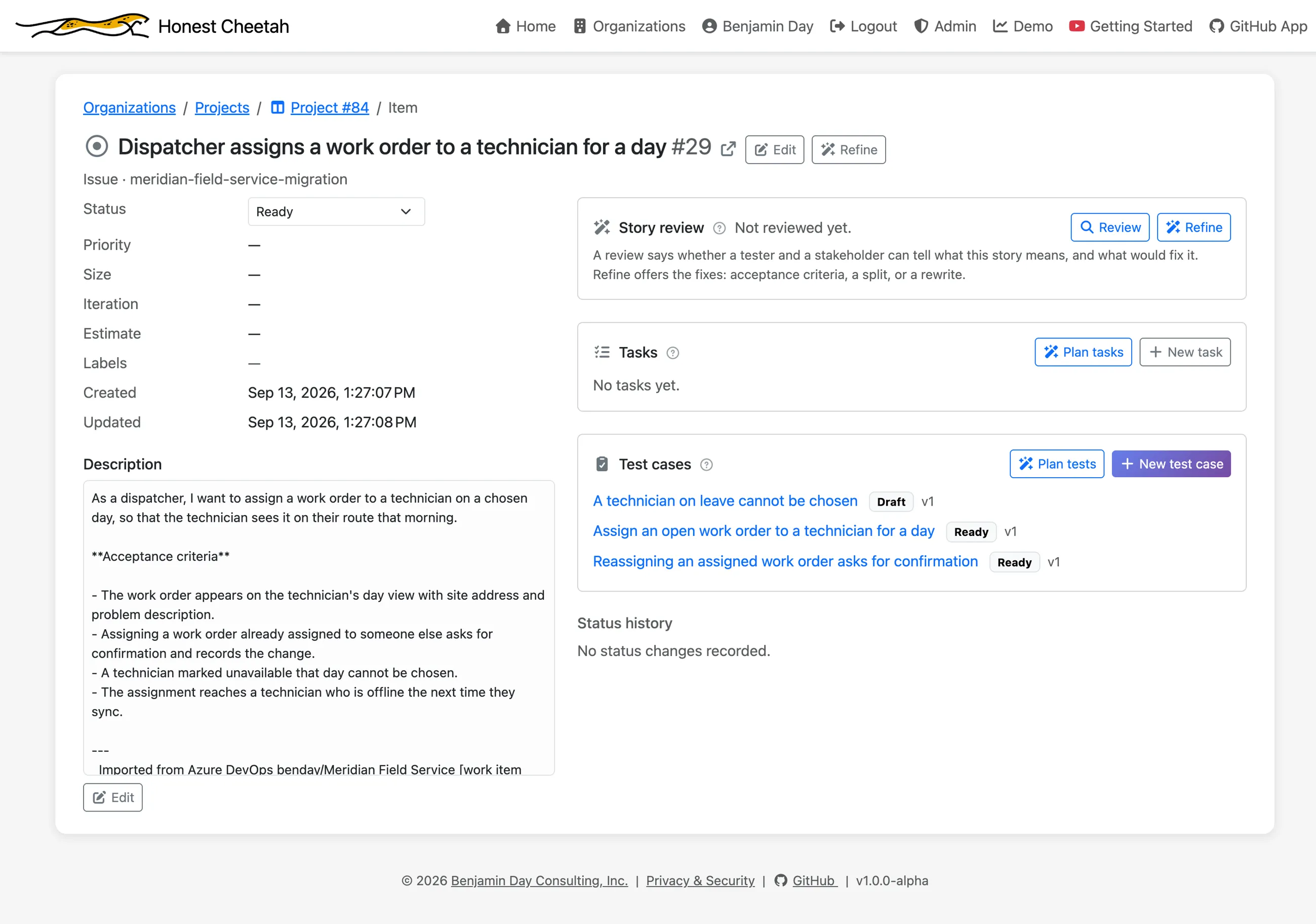
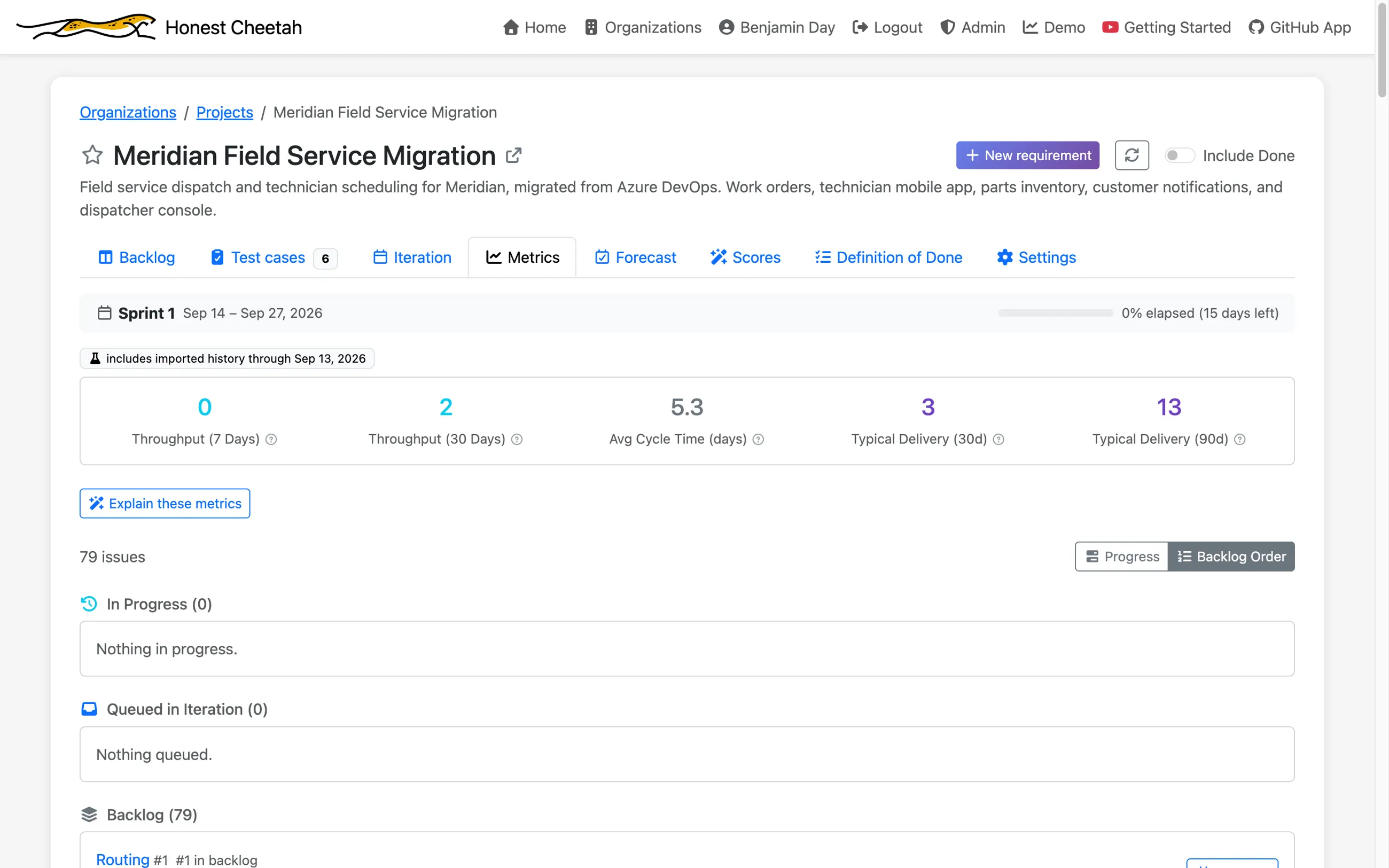
It's a board. The backlog is in Azure DevOps' stack-rank order with the statuses you mapped, every task under its requirement, and the metrics already know how fast the team has been going.
What comes over, and what doesn't
Comes over, free
- Requirements changed in the last 12 months, the 100 most recent, in backlog order, with description and acceptance criteria as Markdown
- Every task under an imported requirement, with status and remaining work
- Completed requirements as throughput and cycle time history, from Azure DevOps Analytics
- A footer on every issue naming the work item it came from, with a link
Comes over on a paid plan
- Test cases linked to those requirements, with steps and tags; shared steps inlined where they're used; parameterized cases as one case per data row, up to ten. They land in Honest Cheetah's test management, on the story they verify.
Stays behind
- Attachments and inline images (counted; GitHub issues have no attachment API)
- Bugs, epics and features (counted, not imported)
- Assignees and iteration assignments (plan from the board afterward)
- Commit links, comments and work item history
- Closed test cases, and requirements in Done or Removed, unless you opt Done back in
- Azure DevOps Server; this is for dev.azure.com
Need more than one team project's worth, more than a year of history, the attachments, or a Server install? That's a migration, and it's what I do.
Sign in with GitHub and import
Staying on Azure DevOps?
You don't have to move anything to get the forecasting. The free Honest Cheetah extension for Azure DevOps gives you throughput, cycle time and Monte Carlo forecasts right under Boards.
Need help with the migration itself?
Moving the code is the easy part. Work items at scale, Test Plans, classic releases, deployment groups, TFVC, and the branching model nobody remembers choosing are where migrations stall. I've been doing TFS and Azure DevOps work since 2005, and the import's limits are exactly where my consulting starts.
Moving to GitHub
The GitHub Readiness Assessment: fixed price, two weeks, remote. A written read on what your migration actually involves (repos, work items, Test Plans, pipelines, release governance) and a sequenced plan.
TFVC to Git
Planned, converted and cut over, whether you're landing on Azure Repos or GitHub. The tool migrates your code. It doesn't migrate your thinking.
Already on GitHub?
Honest Cheetah is free for every GitHub organization: forecasting, metrics, backlog and iterations, with nothing to install. Test management, the part GitHub doesn't have, is on the paid plan.