A backlog that's actually a backlog.
Ordered. Editable. With a refinement stage in front of Todo so you can tell an idea from a commitment, and iterations you can actually plan. All of it is GitHub Projects data: open the same board in GitHub and it's there. Free, for every organization.
The rule is simple: if GitHub can store it, GitHub stores it. Honest Cheetah adds the screens GitHub doesn't have and writes back only what you confirm, with your own credentials. No shadow copy.
The backlog
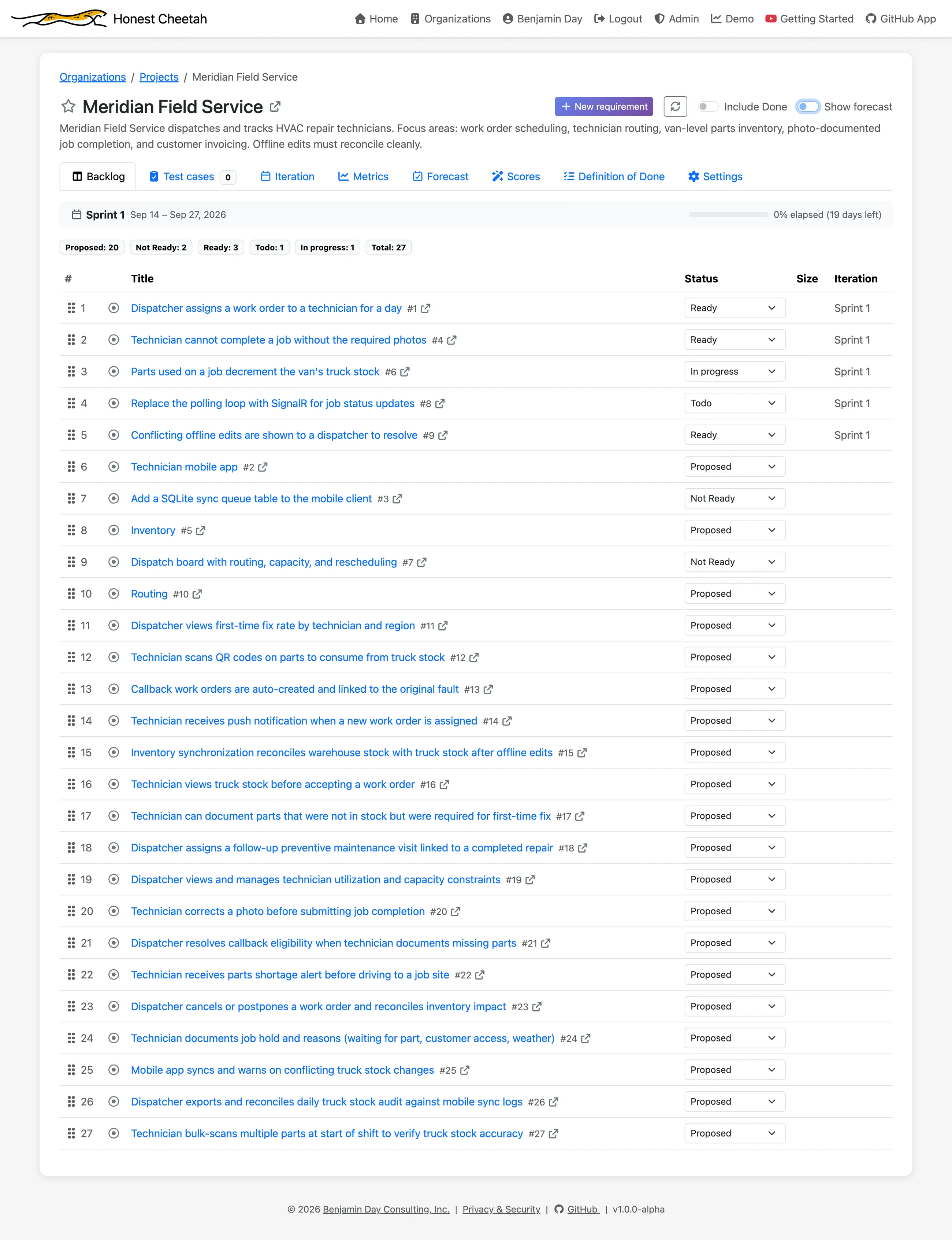
One ordered list. Drag to reorder. Change a status from the row. Every requirement shows its number, title, status, size and iteration, and a status line at the top tells you where the current iteration stands.
A place for requirements to get better
"Our requirements suck." Every team says it. Almost no team can point to the place where requirements are supposed to get better.
A GitHub Project starts at Todo. An idea shows up, lands in Todo, and Todo means "somebody could start this," whether or not anybody understands it yet. There's no stage between "someone had a thought" and "the team is on the hook for it," so "ready" is a vibe, and you find out everyone's private definition of it after the work has started.
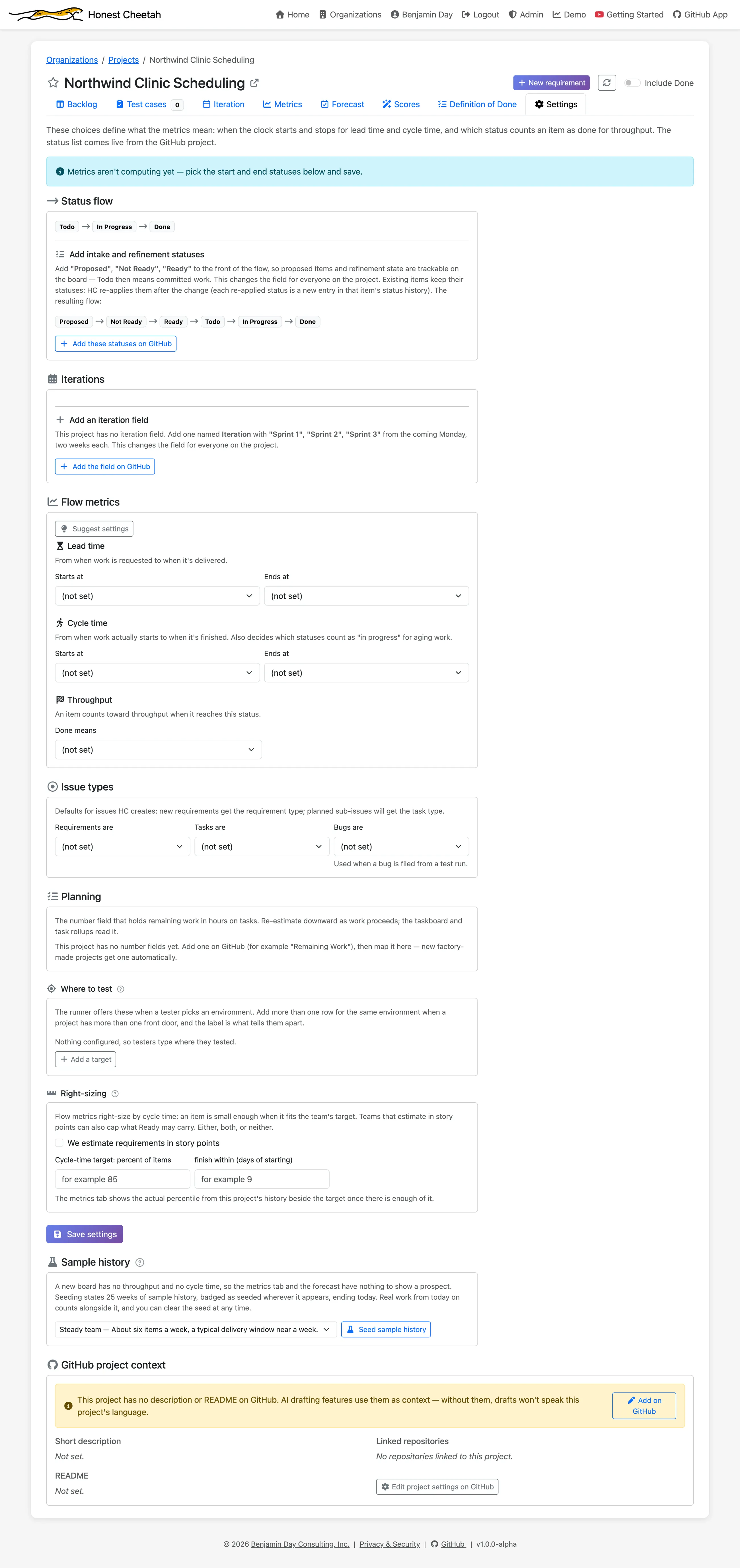
Honest Cheetah installs one, if you want it: Proposed → Not Ready → Ready, in front of Todo, in one click, on a new board or the one you already have. They're real status values on your real GitHub Project, so they're visible in GitHub too.
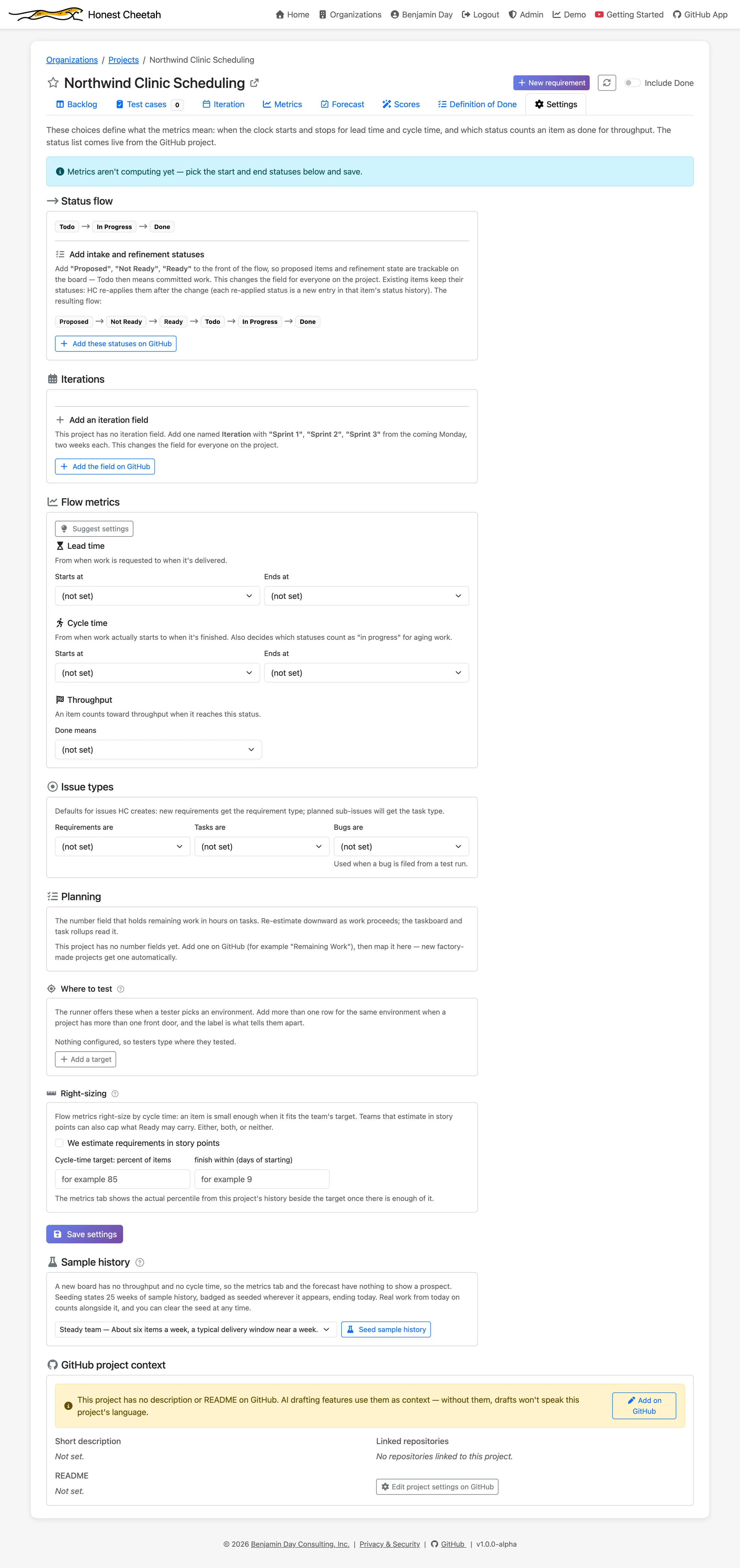
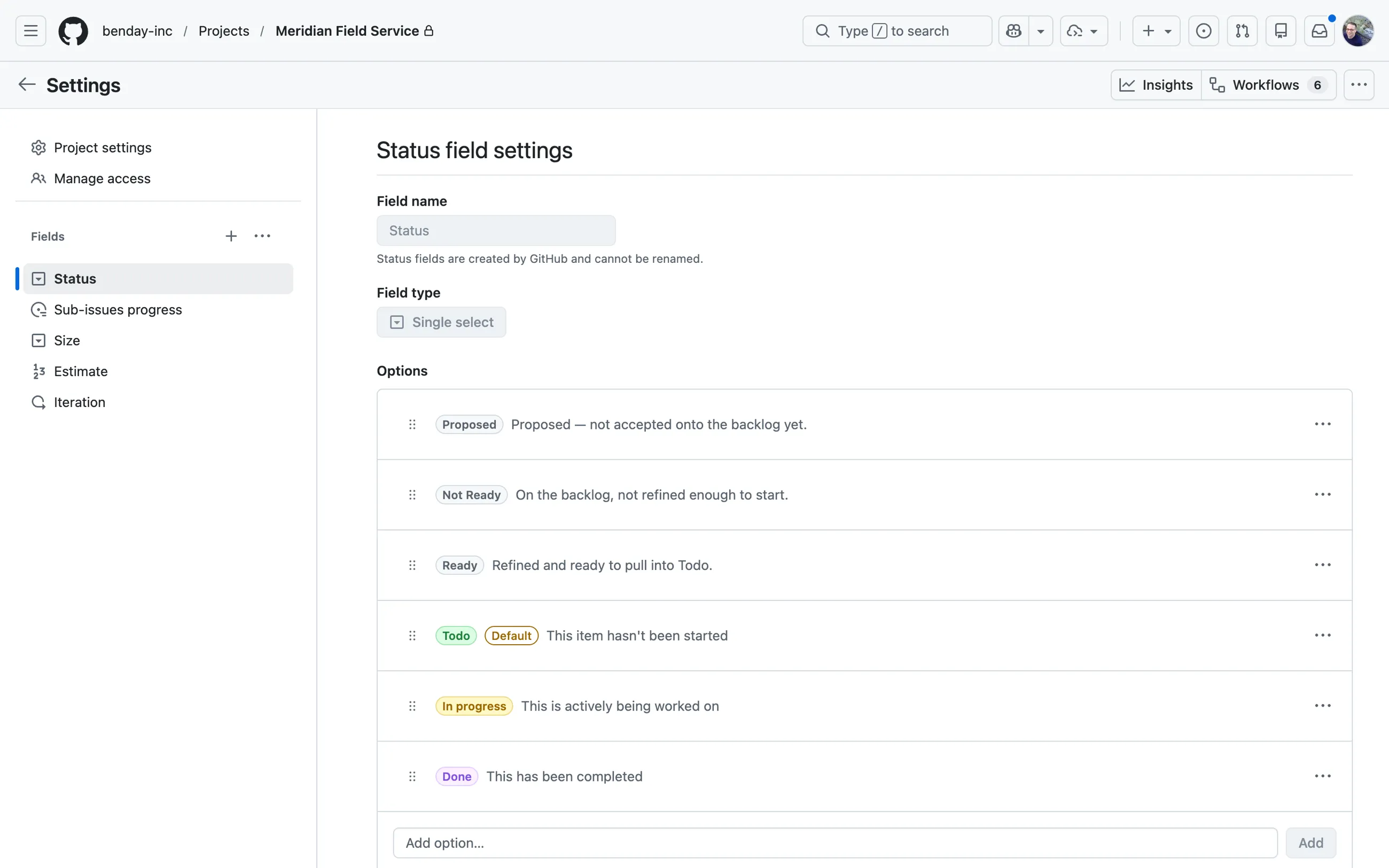
Now an idea has a path. Proposed means somebody thought of it. Not Ready means we looked, it needs work, and we can say why. Ready means it cleared your bar. Intake becomes something you can see and count, instead of a pile of Todo items of wildly different quality.
None of this replaces talking to the people who want the thing. Requirements get better in conversations. The refinement stage gives those conversations a place to happen and a visible outcome. (Want a second opinion on whether a story is ready? That's the AI review, on a paid plan.)
Requirements and tasks
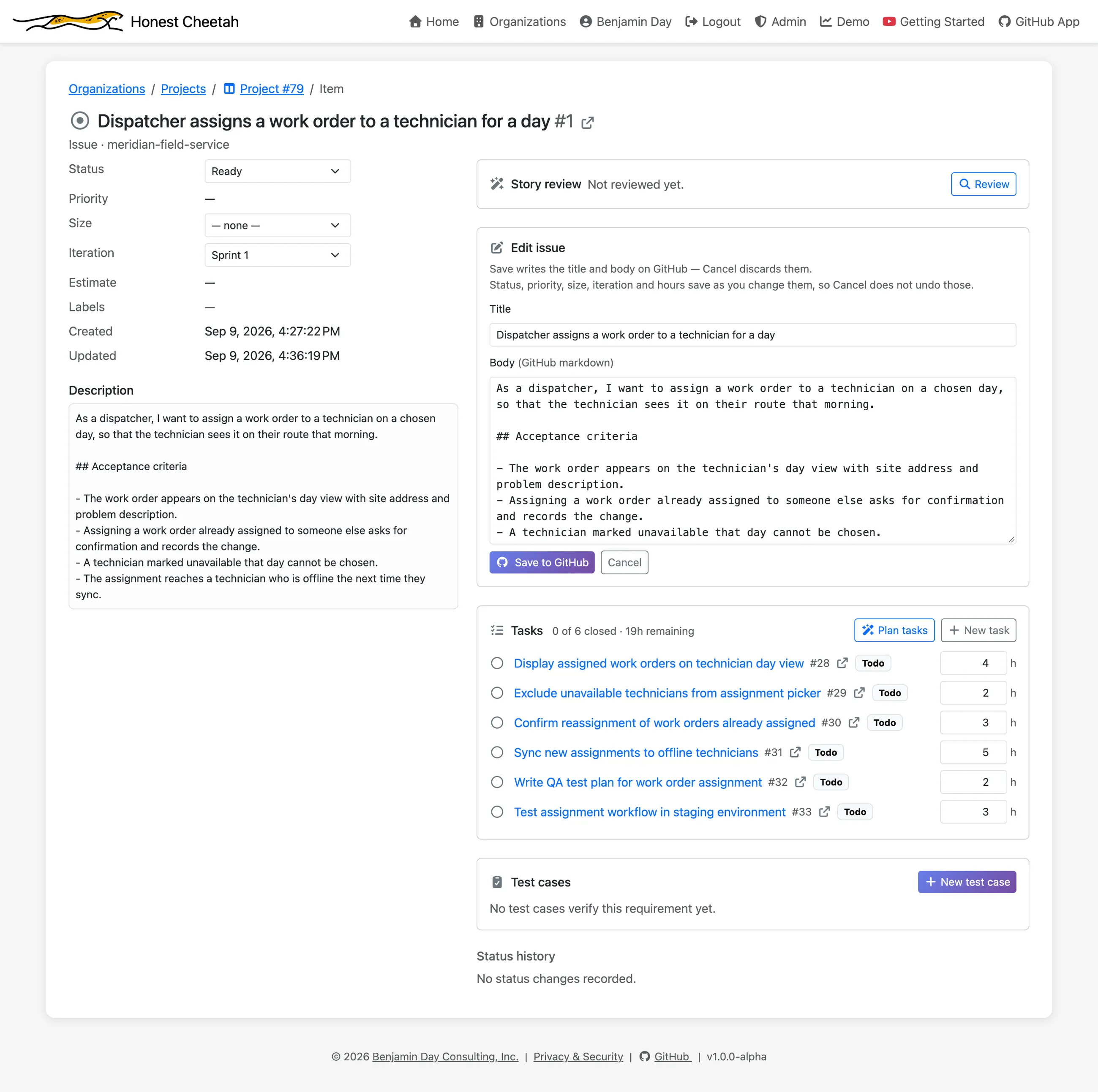
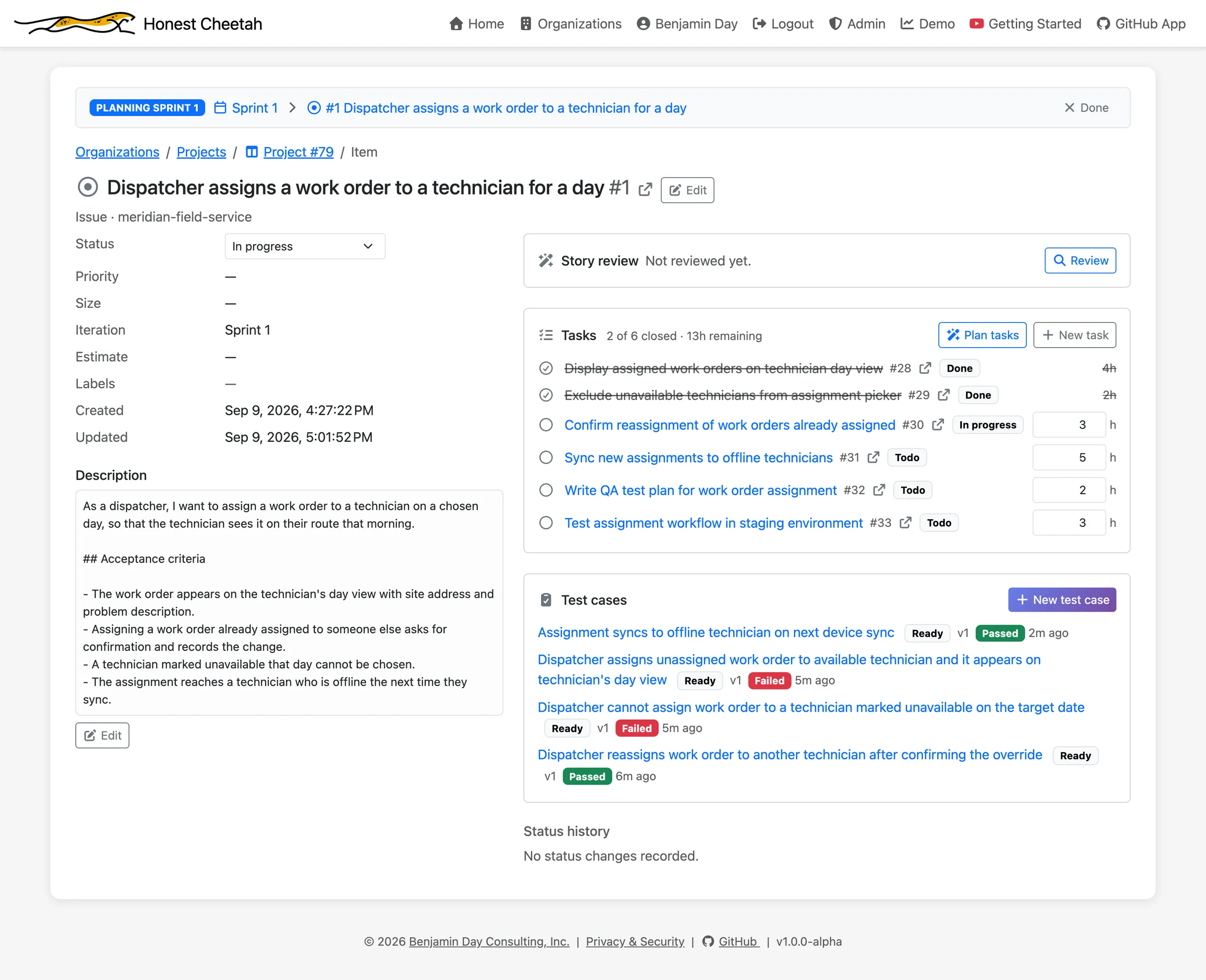
Open a requirement and edit the title, body, status, size and iteration in one form. The status history is on the page, and so are its tasks.
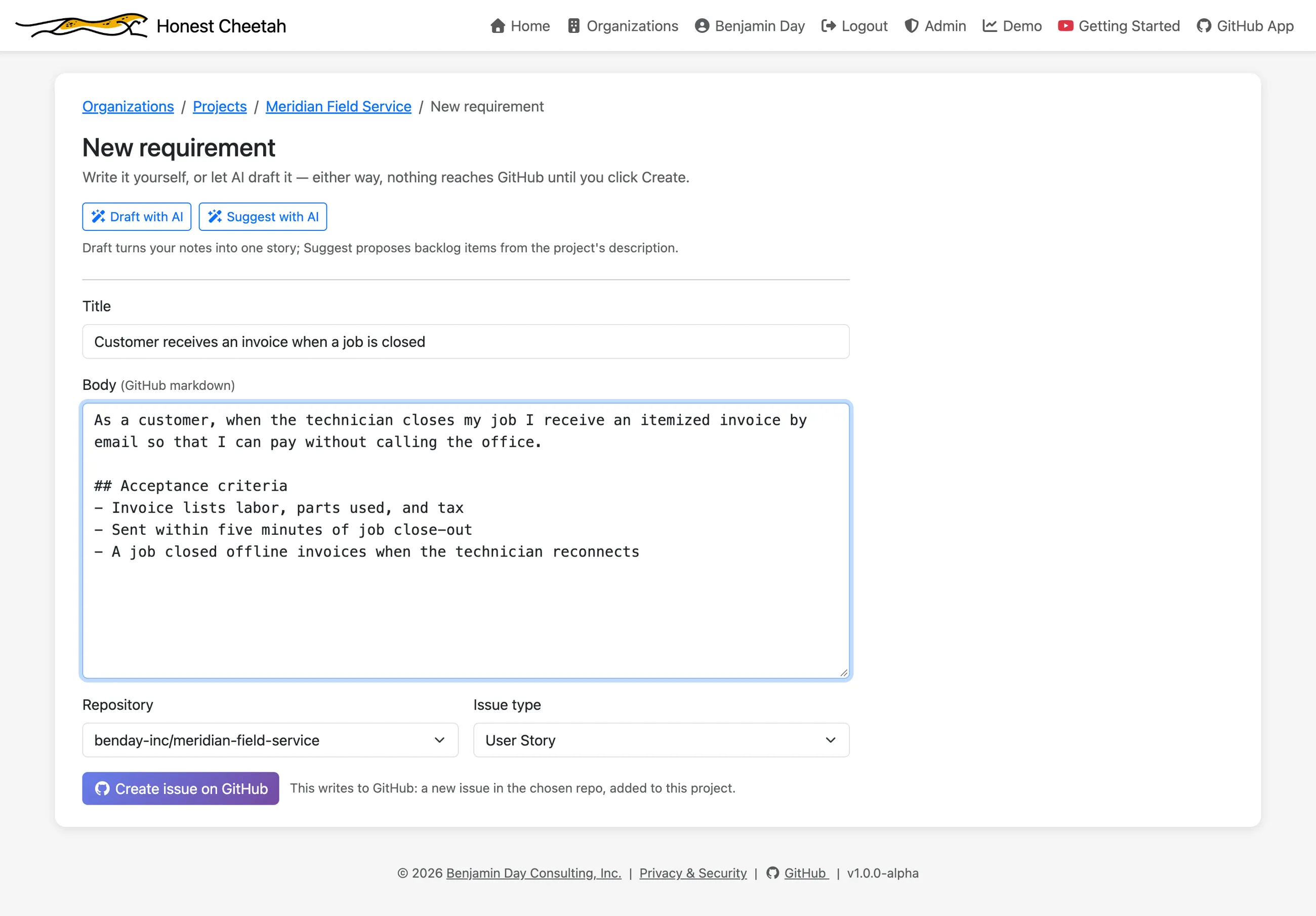
New requirements start from a form with a title, a body and the issue type your project defaults to. They land in the first status of your flow, so nothing skips intake.
Break a requirement into tasks with hours remaining. Progress rolls up as a count (2 of 6 closed · 13h remaining), never a percentage, because "60% done" has ended more sprints than it has finished.
Iterations
GitHub has an iteration field. It doesn't have a sprint. Honest Cheetah turns the field into a page.
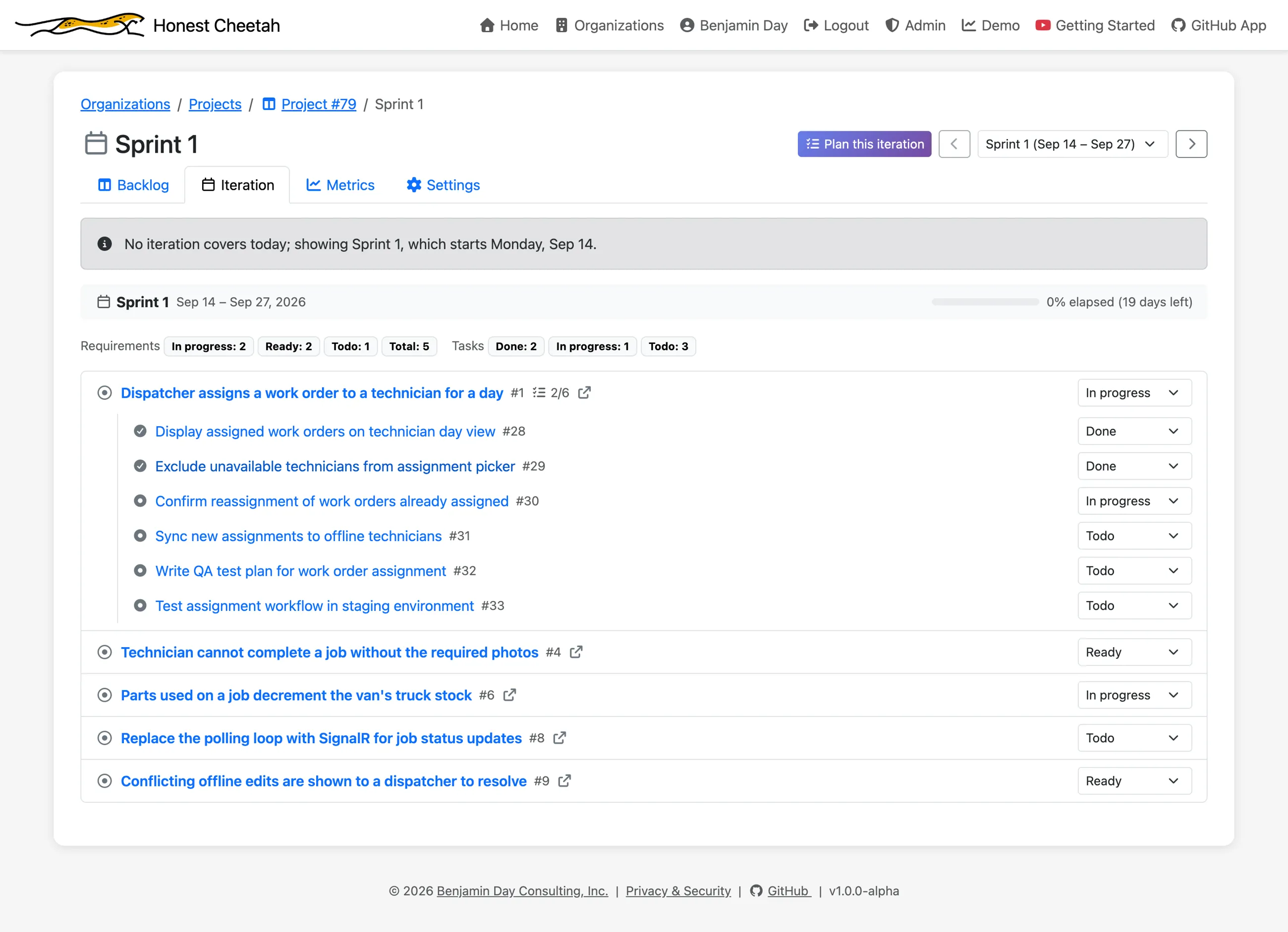
One iteration, one page: requirements with their tasks nested beneath, status counts at both levels, an elapsed bar with the days left, and a picker to move between iterations. If no iteration covers today, the page says so and shows you the next one.
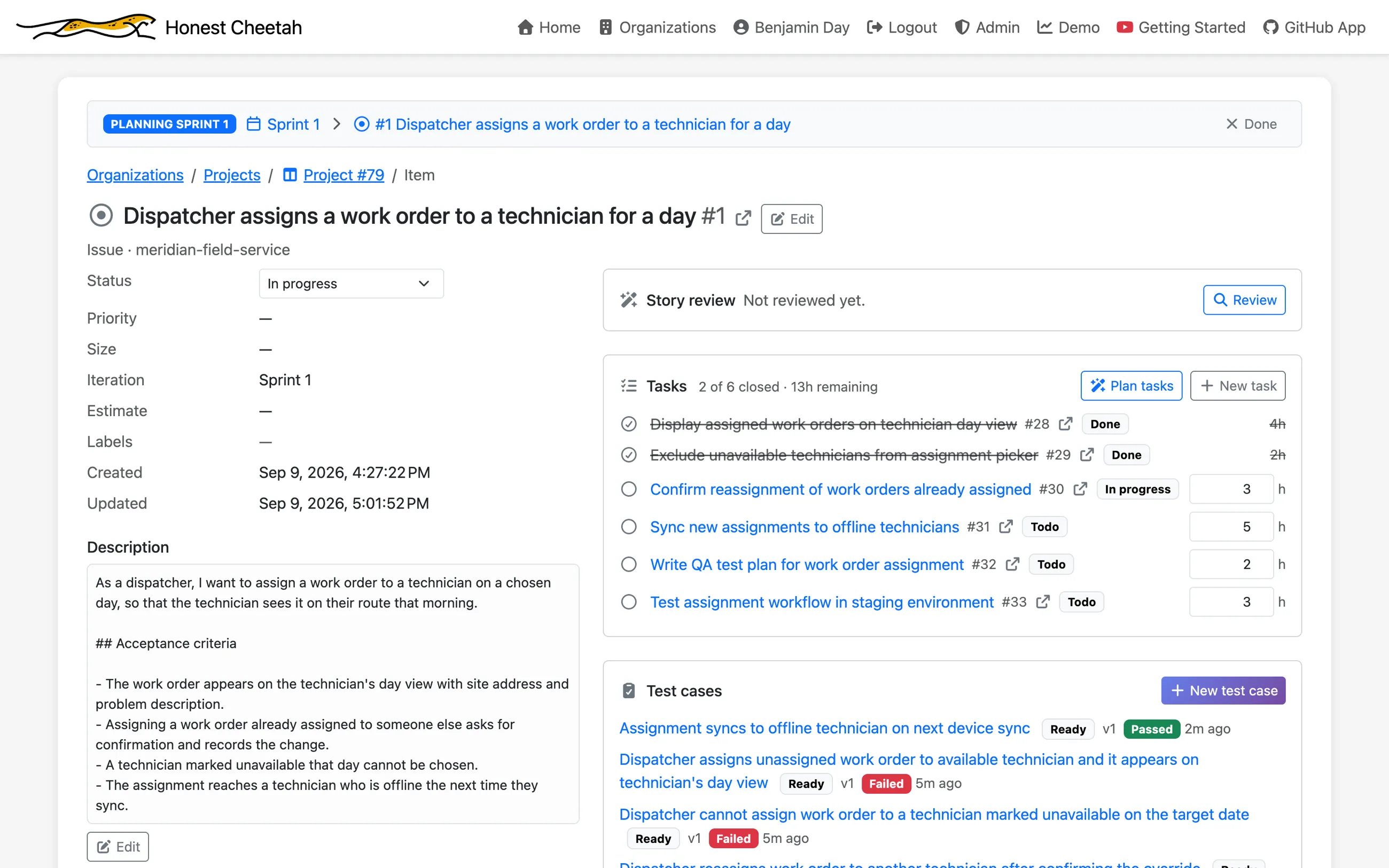
Click Plan on an iteration and the app follows you: a bar under the breadcrumbs says which iteration you're planning, and it comes along when you open a requirement. It's a small thing that stops you assigning work to the wrong sprint because you lost track of which one you were in.
On the backlog, check the items you want and move them into an iteration in one go. The picker defaults to the next one. Turn on Show forecast and each item also shows the iteration it will likely land in.
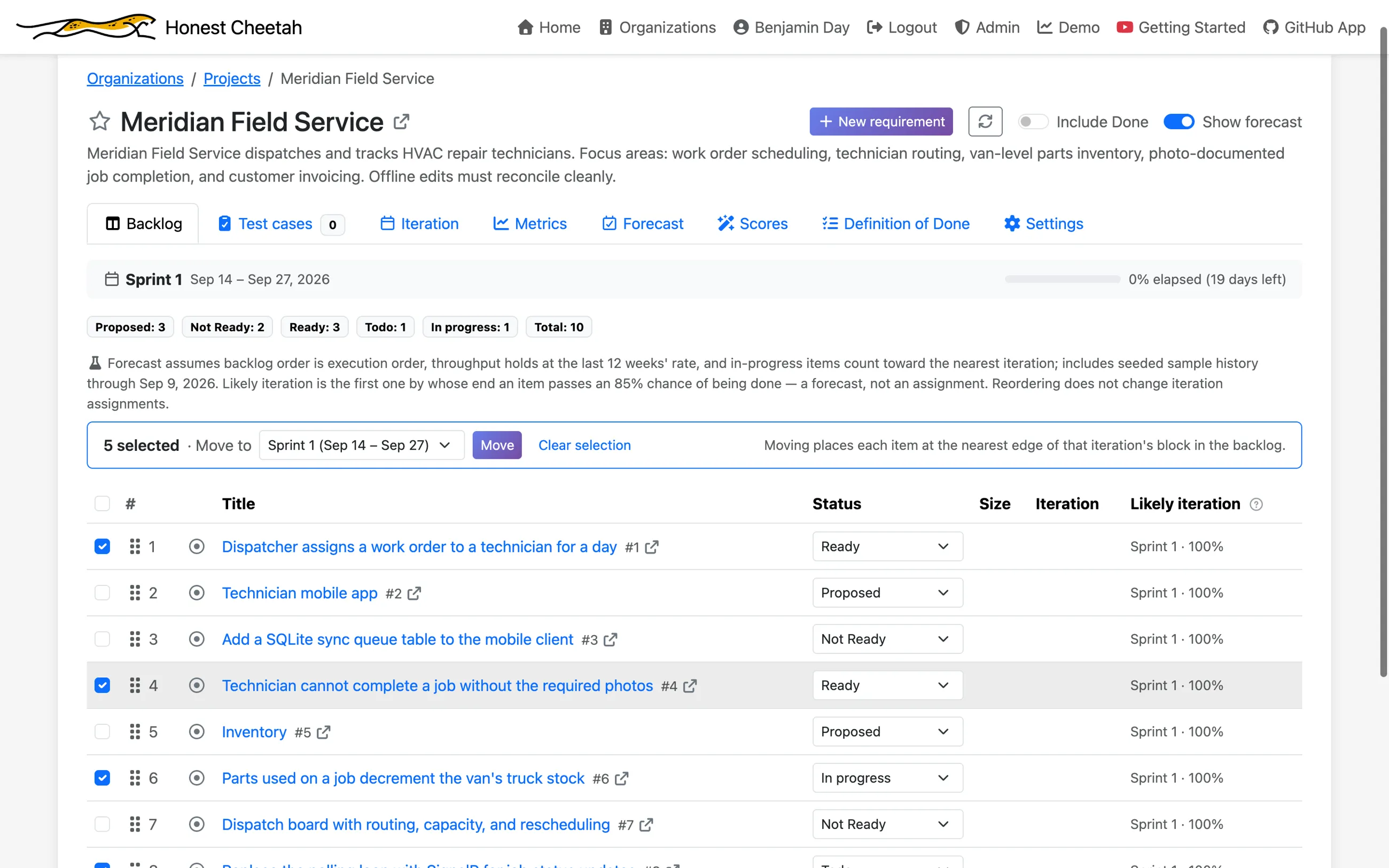
Iterations are GitHub's. On a board without an iteration field, Settings offers to add one with the cadence and start day you pick. On a board that already has one, Honest Cheetah leaves the schedule alone, because rewriting a live schedule through the API clears every assignment on it.
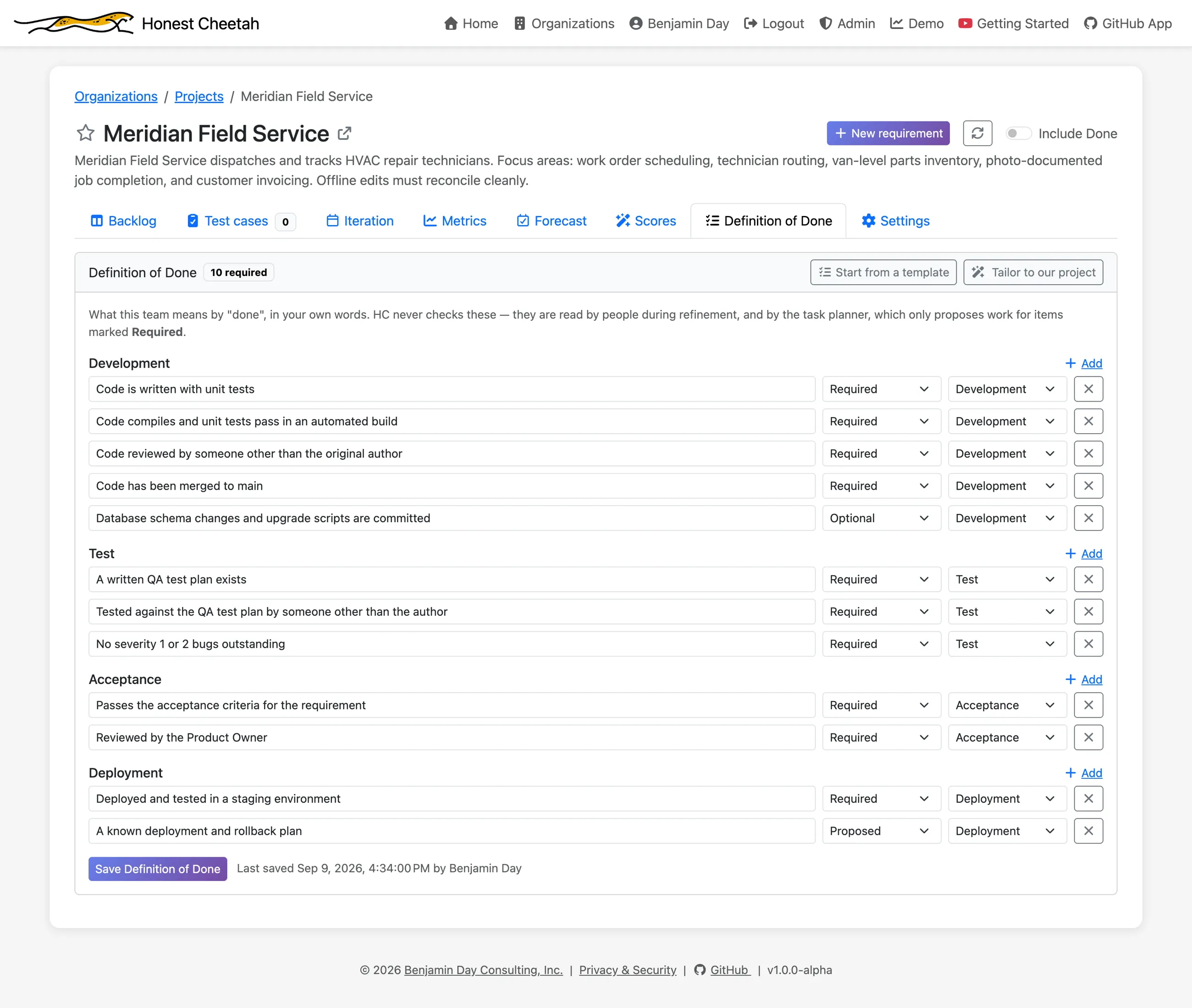
Definition of Done
Write yours once, per project, where the work is instead of in a wiki page nobody opens. Four categories; each item is Required, Optional or Proposed. Start from a template and edit. Honest Cheetah doesn't grade anything against it. Done is still a judgment your team makes.
The project factory
Starting fresh, or want to see it working before you put real work in? Pick a sample project and a tech stack, and Honest Cheetah creates a private repo with a README, a linked Projects board with the refinement statuses installed, two-week iterations from the date you choose, metric settings configured, and a sample backlog. It's the only time Honest Cheetah creates a repository, and only when you ask.
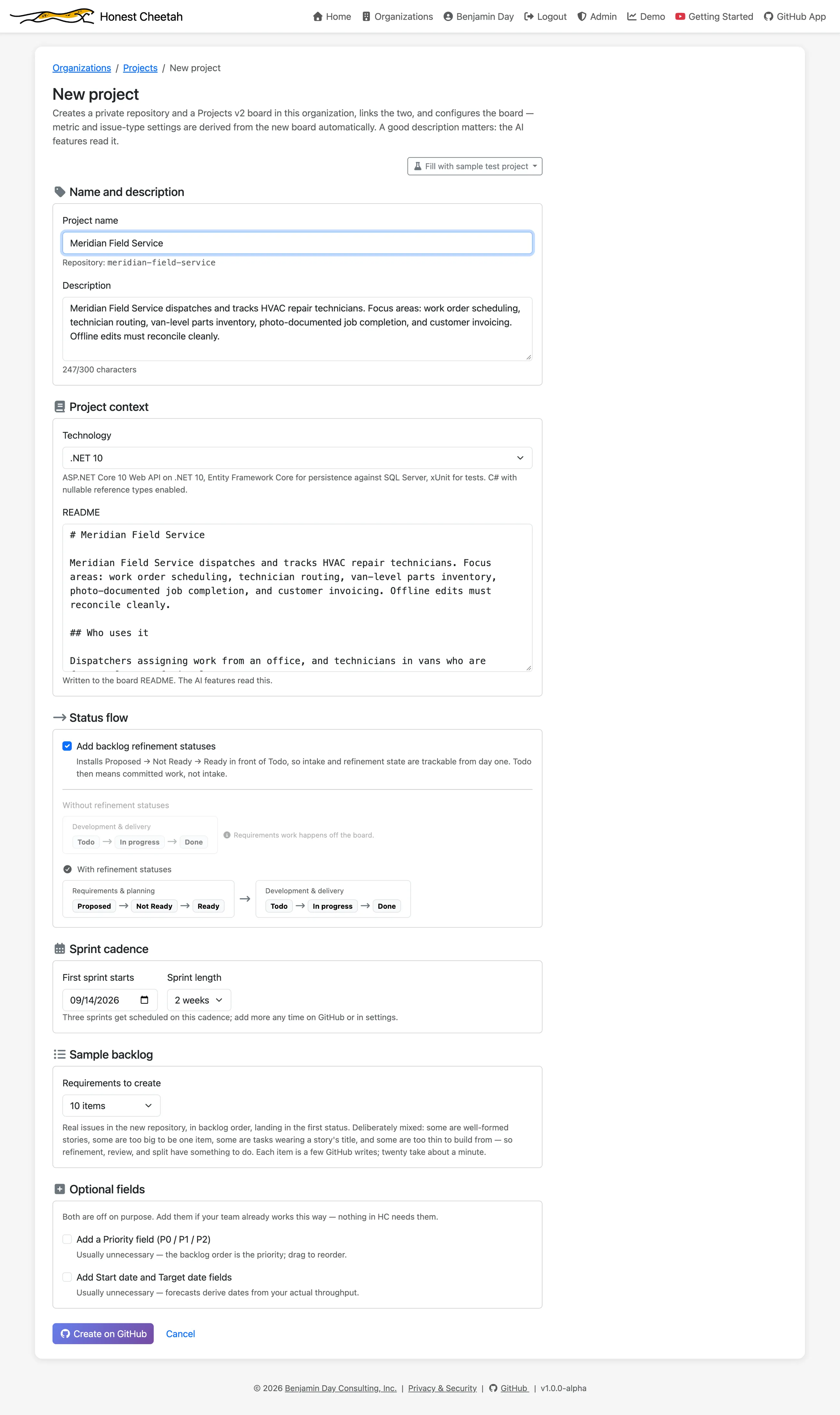
The sample backlog is mixed quality on purpose: some good stories, an epic in story clothing, a task pretending to be a requirement, a couple of one-liners. Seed some sample history too and the metrics and forecast have something to say on day one, labelled as seeded everywhere it appears.
On a paid plan
Everything above is free. On a paid plan, AI helps with the writing: a review of whether each story is ready, one-click fixes for stories that are too big, missing acceptance criteria or written as tasks, drafted requirements, a proposed task breakdown, and a Definition of Done tailored to your project. AI features →